Intel Compute Stick vs Raspberry Pi 3: Which Mini PC Is Right For You?
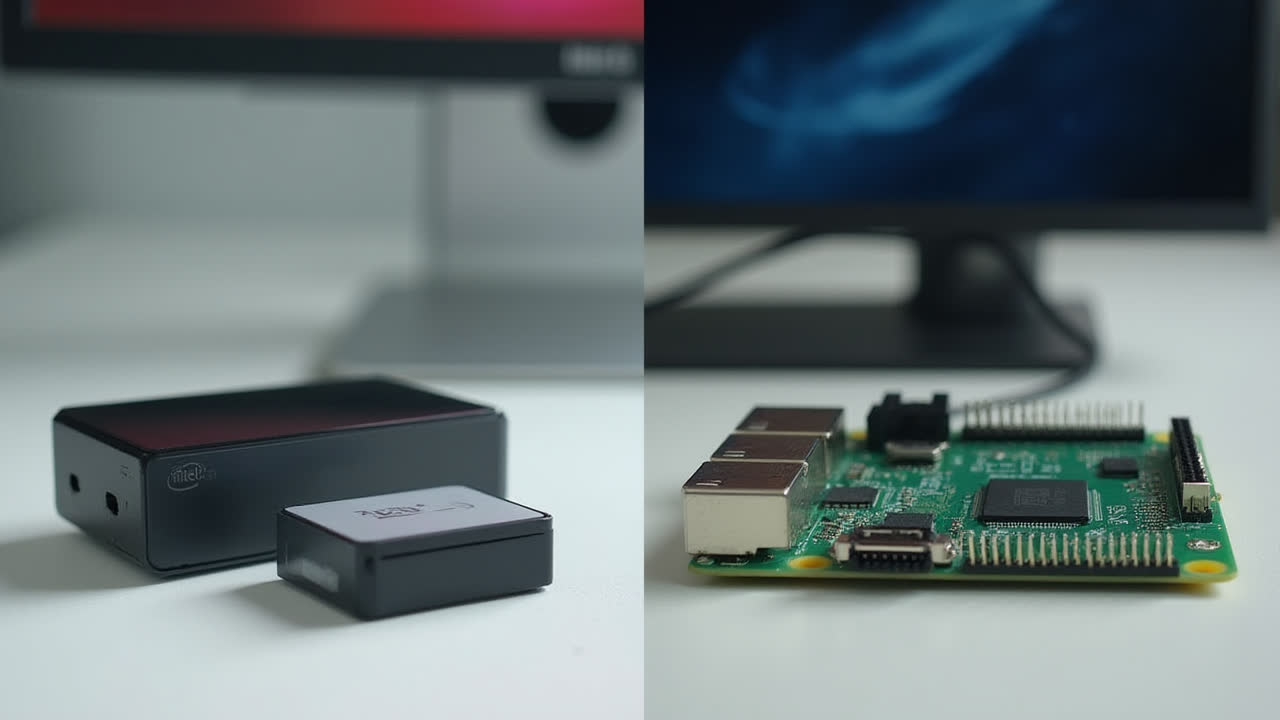
The world of mini PCs and single-board computers has exploded in popularity, bringing powerful computing capabilities to incredibly small form factors. Among the most notable contenders in this space are the Intel Compute Stick and the Raspberry Pi 3. These pocket-sized devices have revolutionized how we think about portable computing, offering surprisingly capable performance in packages that can fit in your palm.
But how do you choose between these tiny technological marvels? Whether you're looking to create an Internet of Things (IoT) project, set up a portable media center, or simply need an affordable computing solution, understanding the key differences between these devices is crucial. In this comprehensive comparison, we'll explore everything from performance specs and connectivity options to operating system compatibility and price points.
I've personally tested both devices in various scenarios, and I can tell you that while they may seem similar at first glance, they actually serve quite different needs. So let's dive in and discover which mini PC might be the perfect fit for your specific requirements.
Understanding the Intel Compute Stick
The Intel Compute Stick represents Intel's venture into the ultra-portable computing market. Think of it as a complete Windows PC squeezed into something not much larger than a typical USB flash drive. When I first got my hands on one, I was honestly a bit skeptical about how much computing power could actually fit into such a tiny package.
This stick-sized computer plugs directly into an HDMI port on your TV or monitor, instantly transforming it into a fully functional computer. The device is powered through a micro-USB connection, and once set up, you can connect peripherals either wirelessly or through its limited USB ports. It's an impressively self-contained system that eliminates the need for bulky traditional desktop components.
Perhaps the most significant advantage of the Intel Compute Stick is that it comes with a full version of Windows pre-installed, rather than a more limited OS. This means you can run virtually any Windows software, from Microsoft Office to media players and even some less demanding games. I've found it particularly useful for business presentations, digital signage applications, and as a portable workstation I can carry in my pocket.
The device features an Intel processor (typically an Atom, Celeron, or Core m3 depending on the model), includes built-in Wi-Fi and Bluetooth connectivity, and has modest but functional specs that allow for basic computing tasks. What it lacks in raw power, it makes up for in convenience and portability. At roughly the size of a pack of gum but slightly longer, it's astonishingly small for a complete Windows PC.
Exploring the Raspberry Pi 3
The Raspberry Pi 3 takes a different approach to mini computing. Unlike the plug-and-play nature of the Compute Stick, the Raspberry Pi is more of a bare-bones single-board computer designed with tinkerers, makers, and educational purposes in mind. It's about the size of a credit card, though thicker due to its various ports and components.
Originally created to promote computer science education in schools, the Raspberry Pi has evolved into a versatile platform used for everything from robotics projects to home automation systems and retro gaming consoles. The Pi 3 represented a significant upgrade in the Raspberry Pi family, introducing built-in Wi-Fi and Bluetooth capabilities that previous models lacked.
One thing I particularly appreciate about the Raspberry Pi 3 is its connectivity options. With four USB ports, an Ethernet port (which the Intel Compute Stick notably lacks), HDMI output, and GPIO pins for connecting to external hardware components, it offers much more flexibility for hardware projects. These GPIO pins allow you to connect sensors, LEDs, motors, and other components directly to the board – something the Compute Stick simply can't do.
The Raspberry Pi runs primarily on Linux-based operating systems, with Raspberry Pi OS (formerly called Raspbian) being the most common. While it can technically run Windows 10 IoT Core, this is a highly stripped-down version of Windows designed specifically for embedded devices and lacks the full functionality of the desktop version. The learning curve can be steeper compared to the familiar Windows interface on the Compute Stick, but the trade-off is much greater flexibility and customization options.
In my experience, the Pi 3's ARM-based processor handles Linux tasks remarkably well, though I've occasionally noticed some stuttering when running multiple browser tabs or attempting more intensive multitasking. That said, for its intended purposes – learning programming, controlling external hardware, or serving as a lightweight media center – it performs admirably.
Head-to-Head Comparison: Key Differences
| Feature | Intel Compute Stick | Raspberry Pi 3 |
|---|---|---|
| Form Factor | HDMI stick (smaller but longer) | Credit card-sized board |
| Operating System | Full Windows 10 (some models offer Ubuntu) | Raspberry Pi OS, Linux distros, Windows 10 IoT Core |
| Processor | Intel Atom, Celeron or Core m3 (x86) | 1.2GHz 64-bit quad-core ARM Cortex-A53 |
| RAM | 2GB DDR3 | 1GB DDR2 |
| Storage | 32GB-64GB eMMC + microSD slot | No onboard storage, microSD card required |
| USB Ports | 1x USB 3.0, 1x USB 2.0 | 4x USB 2.0 |
| Ethernet Port | No | Yes (10/100 Mbps) |
| GPIO Pins | No | Yes (40-pin header) |
| Price Range | $100-$400 (depending on model) | $35-$45 |
Performance and Capabilities: Real-World Usage
When it comes to performance, these devices target different user needs. The Intel Compute Stick, with its x86 architecture and Windows operating system, is oriented toward traditional desktop computing tasks. In my testing, it handled office applications like Word and Excel without issues, though I wouldn't recommend trying to edit videos or run demanding software. Web browsing performance was satisfactory, though opening multiple tabs could cause some slowdown depending on the specific model.
The Raspberry Pi 3, on the other hand, excels in different areas. Its ARM processor is optimized for efficiency and performs remarkably well when running Linux-based operating systems. I've successfully used my Pi 3 as a media server running Kodi, and it handles 1080p video playback smoothly. The real strength of the Pi, however, lies in its ability to interface with external hardware through its GPIO pins. This makes it ideal for DIY electronics projects, home automation, and as a platform for learning programming.
One evening, my Wi-Fi router died unexpectedly while I was in the middle of an important project. In a pinch, I was able to configure my Raspberry Pi 3 as a temporary Wi-Fi router using its Ethernet port and Wi-Fi capabilities – something that would have been impossible with the Compute Stick due to its lack of an Ethernet port. This kind of flexibility is where the Pi truly shines.
Memory management is another area where these devices differ significantly. The Intel Compute Stick's 2GB of DDR3 RAM provides better multitasking capabilities than the Pi's 1GB of DDR2 RAM. However, the lightweight Linux distributions that run on the Pi are typically less resource-intensive than Windows, so this difference isn't always as noticeable as the specifications might suggest.
Connectivity and Expansion Options
Connectivity is a crucial consideration for mini PCs, especially given their limited internal expansion capabilities. The Raspberry Pi 3 offers more physical connectivity options with its four USB 2.0 ports, Ethernet jack, and 40 GPIO pins. These GPIO pins are a game-changer for hardware projects, allowing direct connection to sensors, displays, motors, and other components. I've connected everything from temperature sensors to small LCD screens using these pins.
The Intel Compute Stick takes a more minimalist approach with just two USB ports (one USB 3.0 and one USB 2.0). The inclusion of a USB 3.0 port is a nice touch for faster data transfers, but the limited number of ports means you'll likely need a USB hub for connecting multiple peripherals. Both devices offer built-in Wi-Fi and Bluetooth connectivity, though in my experience, the Intel device typically has slightly better Wi-Fi range and stability.
Storage expansion differs between the two as well. The Compute Stick includes built-in eMMC storage (typically 32GB or 64GB depending on the model) plus a microSD card slot for expansion. The Raspberry Pi 3 relies entirely on microSD cards for storage, which means you'll need to supply your own. This arrangement gives the Pi incredible flexibility – you can have multiple SD cards with different operating systems or configurations and swap between them as needed. I keep one card dedicated to media center applications and another for programming projects.
Use Cases: When to Choose Each Mini PC
Best Uses for Intel Compute Stick
- Business presentations and digital signage
- Portable Windows workstation
- Media streaming and basic web browsing
- Windows-specific software requirements
- Users who prefer familiar Windows interface
- Hotel room or travel computing
Best Uses for Raspberry Pi 3
- Educational programming projects
- DIY electronics and hardware tinkering
- Home automation systems
- Retro gaming emulation
- Media center/server applications
- Low-power network services (web server, VPN, etc.)
The ideal choice between these two devices ultimately depends on your specific needs. If you require Windows compatibility and prefer a plug-and-play solution with minimal setup, the Intel Compute Stick is likely your better option. Its familiar operating system and straightforward setup make it accessible for most users, though you'll pay a premium for this convenience.
On the other hand, if you're interested in hardware projects, educational applications, or want maximum flexibility at a lower price point, the Raspberry Pi 3 is hard to beat. While it may require more technical knowledge to get started, the vast community support and extensive documentation make the learning curve manageable. I've found that the skills developed while working with the Pi – from basic Linux commands to electronic circuit design – have been valuable far beyond just using the device itself.
In some cases, these devices can actually complement each other rather than compete. I use my Raspberry Pi for home automation tasks and as a network-attached storage device, while occasionally using the Compute Stick when I need Windows-specific applications or want to quickly turn a hotel TV into a workstation while traveling.
Frequently Asked Questions
Can the Raspberry Pi 3 run Windows like the Intel Compute Stick?
No, the Raspberry Pi 3 cannot run a full version of Windows like the Intel Compute Stick. Due to its ARM-based architecture, the Raspberry Pi 3 can only run Windows 10 IoT Core, which is a stripped-down version of Windows designed specifically for embedded systems and IoT projects. This version lacks the standard Windows desktop interface and cannot run regular Windows applications. If you need full Windows compatibility, the Intel Compute Stick is the better choice between these two devices.
Which device provides better value for money, the Intel Compute Stick or Raspberry Pi 3?
The Raspberry Pi 3 generally provides better value for money, with prices starting around $35-45 compared to the $100-400 range for Intel Compute Stick models. However, value depends on your specific needs. If you require Windows compatibility or x86 architecture for your projects, the Intel Compute Stick may be worth the premium. For educational purposes, hardware projects, or Linux-based applications, the Raspberry Pi 3 offers exceptional value with its abundant connectivity options, large community support, and lower price point.
Can these mini PCs replace a regular desktop computer for everyday tasks?
Both devices can handle basic computing tasks, but with limitations. The Intel Compute Stick can function as a light-duty Windows PC for web browsing, document editing, and media consumption, though it will struggle with resource-intensive applications like video editing or gaming. The Raspberry Pi 3 works well for internet browsing, basic document editing with LibreOffice, and media playback, but may feel sluggish compared to a standard desktop experience. Neither device is suitable as a primary computer for power users, but both can serve adequately for casual computing needs or specific use cases like digital signage, media centers, or IoT projects.
Conclusion: Making the Right Choice
After spending considerable time with both the Intel Compute Stick and the Raspberry Pi 3, I've found that they each excel in their respective niches. The Intel Compute Stick offers the familiar Windows experience in an incredibly portable package, making it ideal for business users, travelers, or anyone who needs Windows compatibility. Its plug-and-play nature means you can be up and running quickly with minimal technical knowledge.
The Raspberry Pi 3, with its extensive connectivity options, GPIO pins, and lower price point, is the clear winner for educational purposes, hardware projects, and as a platform for experimentation. Its vibrant community provides endless resources for learning and troubleshooting, and the skills developed while using it transfer well to other technical domains.
Is one objectively better than the other? Not really – they're designed with different purposes in mind. The choice comes down to your specific needs, technical comfort level, and budget. If you're still unsure which is right for you, consider starting with the more affordable Raspberry Pi 3. Even if you eventually decide the Compute Stick better suits your needs, the knowledge gained from working with the Pi will be valuable in your computing journey.
Whichever mini PC you choose, both represent impressive achievements in miniaturization and afford computing capabilities that would have seemed impossible just a decade ago. The fact that we can now carry fully functional computers in our pockets is a testament to how far technology has come – and these small but mighty devices are leading the charge in making computing more accessible and versatile than ever before.